Integrating LVM with Hadoop

🔅Integrate LVM with Hadoop and
provide Elasticity to DataNode Storage
🔅Increase or Decrease the Size of Static
Partition in Linux.
🔅Automating LVM Partition using Python-Script.
Step -1: Launching 2 instances one for Hadoop master(Name node) and the other for Hadoop slave(Data node).

Step-2: Download and install JDK n Hadoop software in both the nodes:
jdk-8u171-linux-x64.rpm
hadoop-1.2.1–1.x86_64.rpm
To install we will use the following commands:
yum install jdk-8u171-linux-x64.rpm -y
rpm -ivh hadoop-1.2.1–1.x86_64.rpm — force -y


Step-3: Configuring name node n data node by updating hdfs-site.xml and core-site.xml

Name node hdfs-site.xml file

Name node core-site.xml file(IP: 0.0.0.0 n port 9001)

data node hdfs-site.xml

data node core_site.xml(ip: master IP(public IP of name node instance) n port 9001)
Step-4: Format the namenode

Step-5: Create 2 EBS volumes and attach them to slave (data node)

Step-6: Create Physical volumes, logical volume, volume group for these 2 volumes so that we can use them.
If pvcreate cmd is not available then download it

Creating physical volumes


Create Volume group:

Creating Logical Volume:


Step-7: Format the partition


Step-8: Mount the partition to data node folder


Step-9: Start the name node n data node services


Checking the size of the data node

Step- 10: Extending Logical Volume size to increase the data node space


Step-11: Now again checking the report to see if the size is increased or not
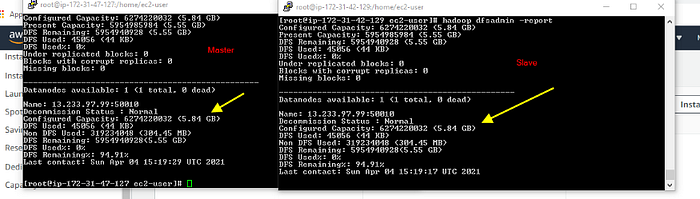
The size is now increased from 3Gib to 6Gib
